Settings
The workflow module has its own Settings screen at /workflows/settings, subtitled Configure workflow execution and notification preferences. It is reached by URL or from links inside the module; it is not in the app sidebar. Values are workspace-wide. If you see the banner Settings are managed at workspace level. Contact your workspace administrator to change these values., your role can view but not edit them.
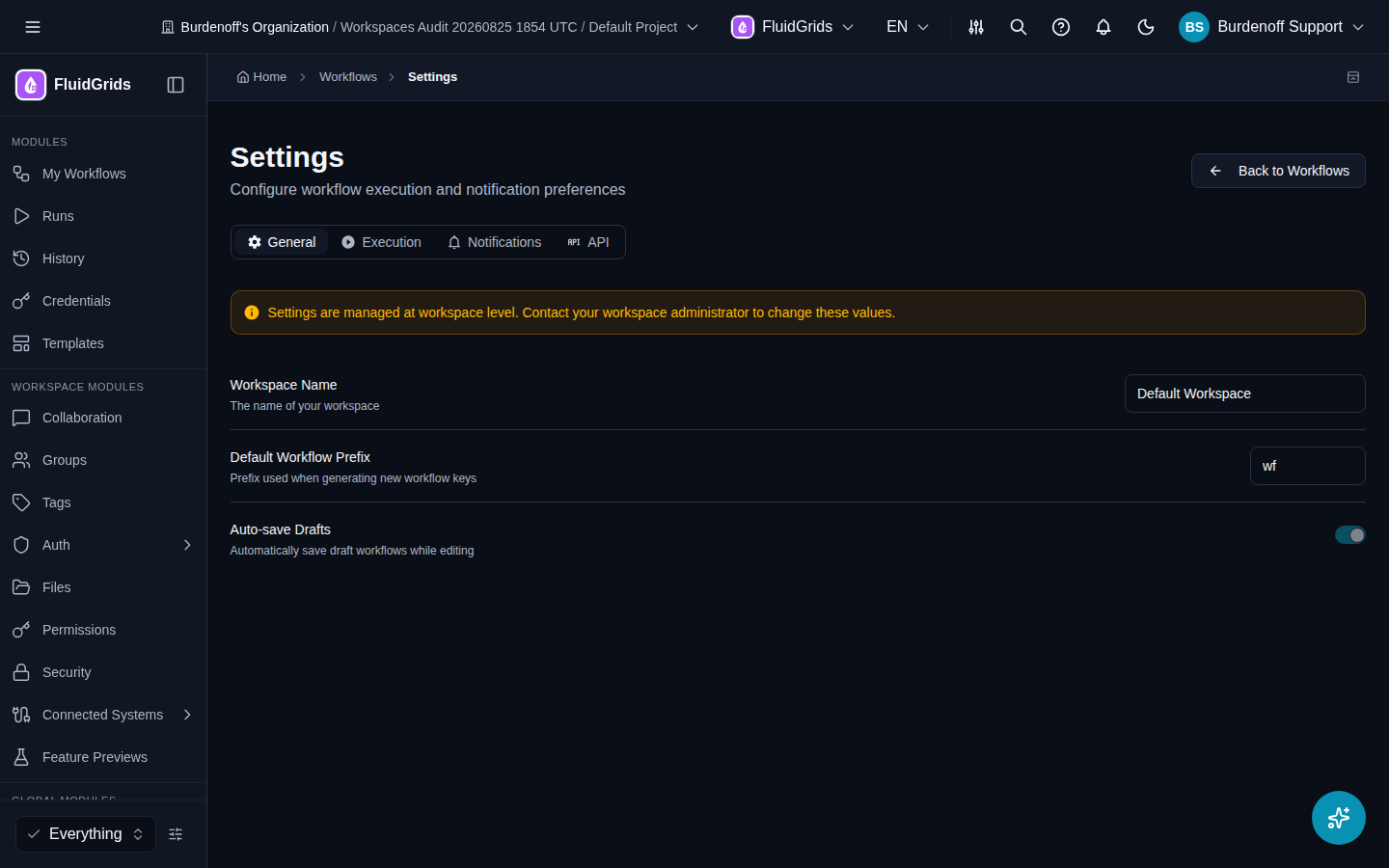
General
| Setting | Meaning |
|---|---|
| Workspace Name | The workspace these settings belong to. |
| Default Workflow Prefix | Prefix used when FluidGrids generates a key for a new workflow. |
| Auto-save Drafts | Save draft edits automatically while you work in the builder. |
Execution
| Setting | Meaning |
|---|---|
| Default Timeout (seconds) | Maximum time a run may take before it is stopped. |
| Max Retries | Automatic retries when an execution fails. |
| Retry Delay (seconds) | Wait between retry attempts. |
| Concurrent Execution Limit | Maximum number of runs executing at the same time in this workspace. |
Plan limits cap these values — see Plans and Quotas. Per-node retry and error behaviour is set on the node itself in the builder's Settings tab.
Notifications
Email and webhook notifications, each with On Failure and On Success toggles. Delivery uses the platform notification service; the destination addresses and webhook endpoints are configured under Communication › Notifications.
API
Copy-ready values for integrating from outside the app:
- API Gateway URL — the base URL for the workflow GraphQL API (
https://graphqlworkspaces.burdenoff.com/workspaces/graphqlin production). - Webhook URL Format — the URL pattern for webhook-triggered workflows; replace the placeholder with the workflow key.
- Example: Trigger via cURL — a ready-made
curlcommand for triggering a workflow.
See the API Reference for the full request shapes.